Document comparison and testing

ByteCompareByteCompare

Prove the output is right, page by page.

ByteCompare puts two versions of your documents side by side and shows every difference between them: wording, layout, fonts, colours, lines and images. AFP, PDF, HTML or text, in any combination, from a single letter to a whole print run.

Compares
AFP, PDF, HTML, text
Runs
In the browser and on the command line
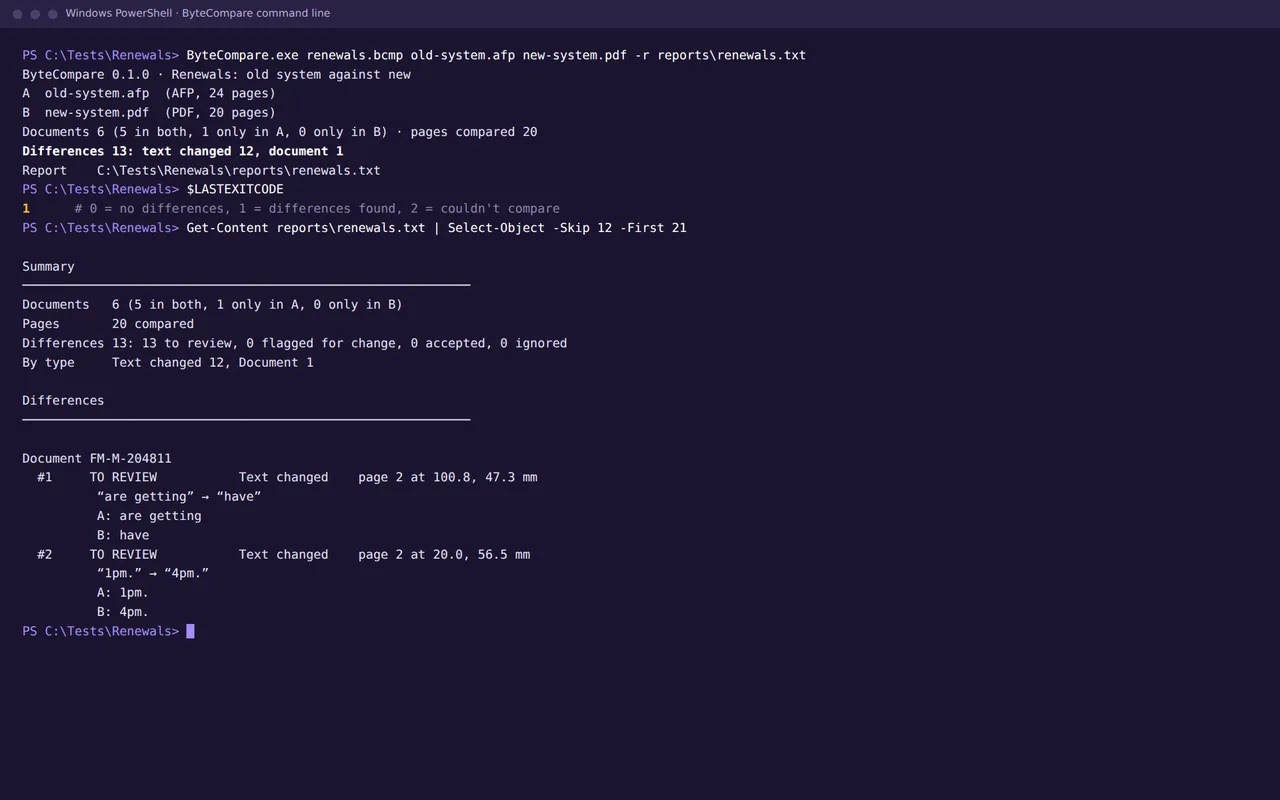
Command line
Windows and Linux
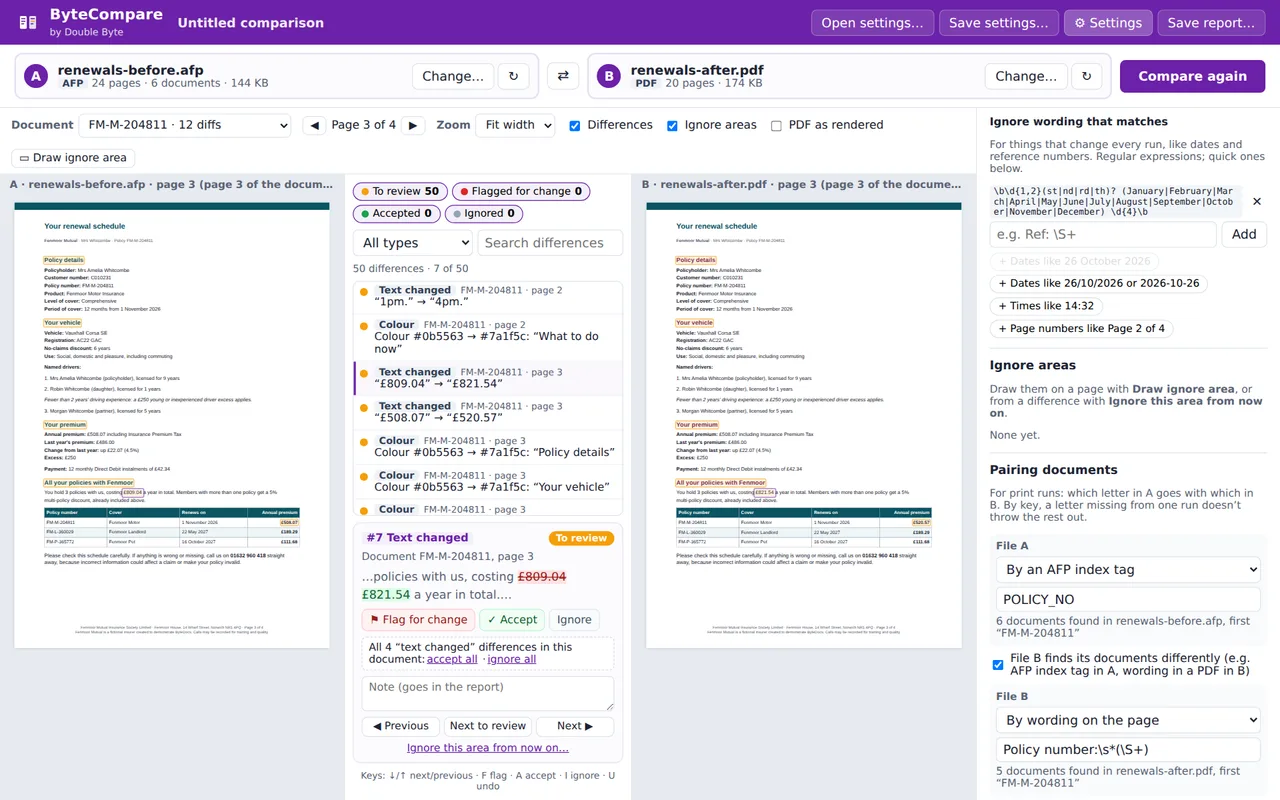
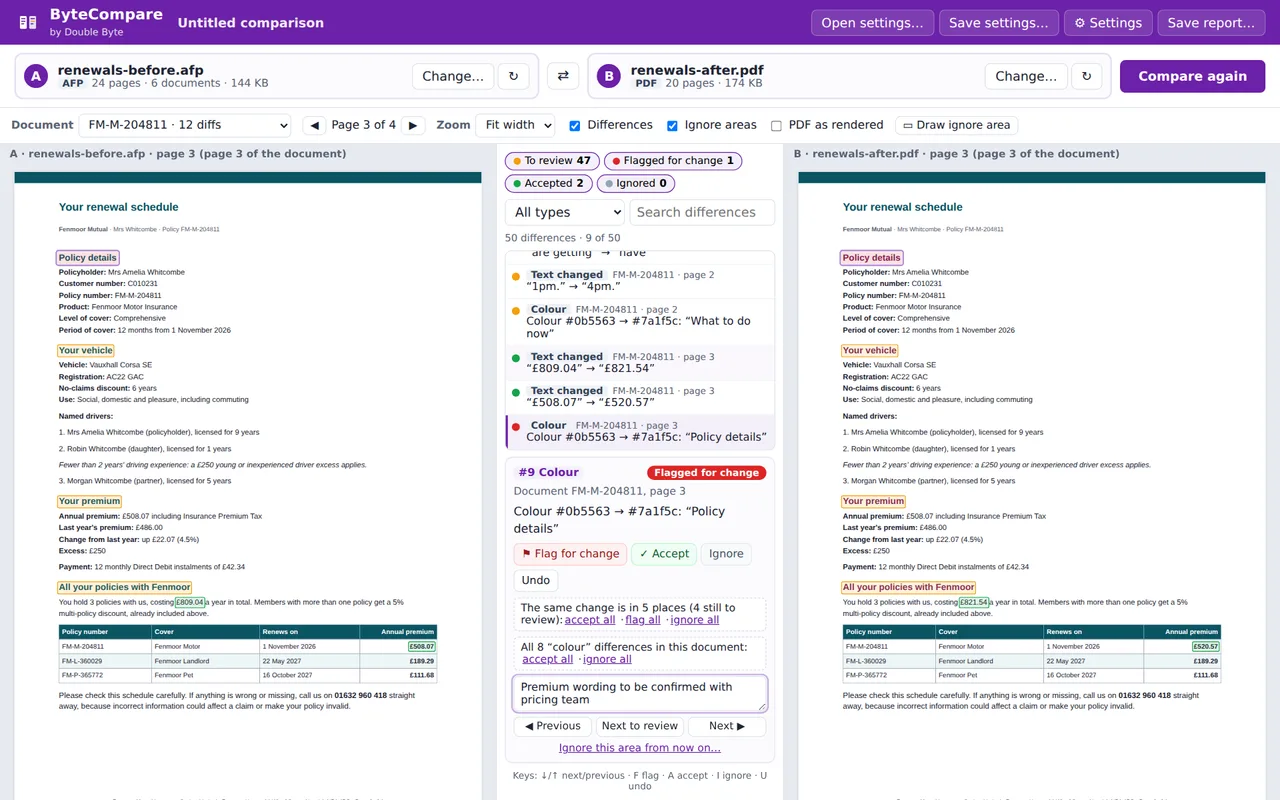
ByteCompare showing an AFP renewal letter from the old system beside the PDF from the new system, with a changed premium highlighted

Sound familiar?

The problem ByteCompare solves

  • You're moving to a new platform or print house, and thousands of documents have to come out exactly as they did before.
  • Checking means printing both versions and comparing them by eye, so in practice only a sample gets checked.
  • The old system writes AFP and the new one writes PDF, so you can't simply compare the files.
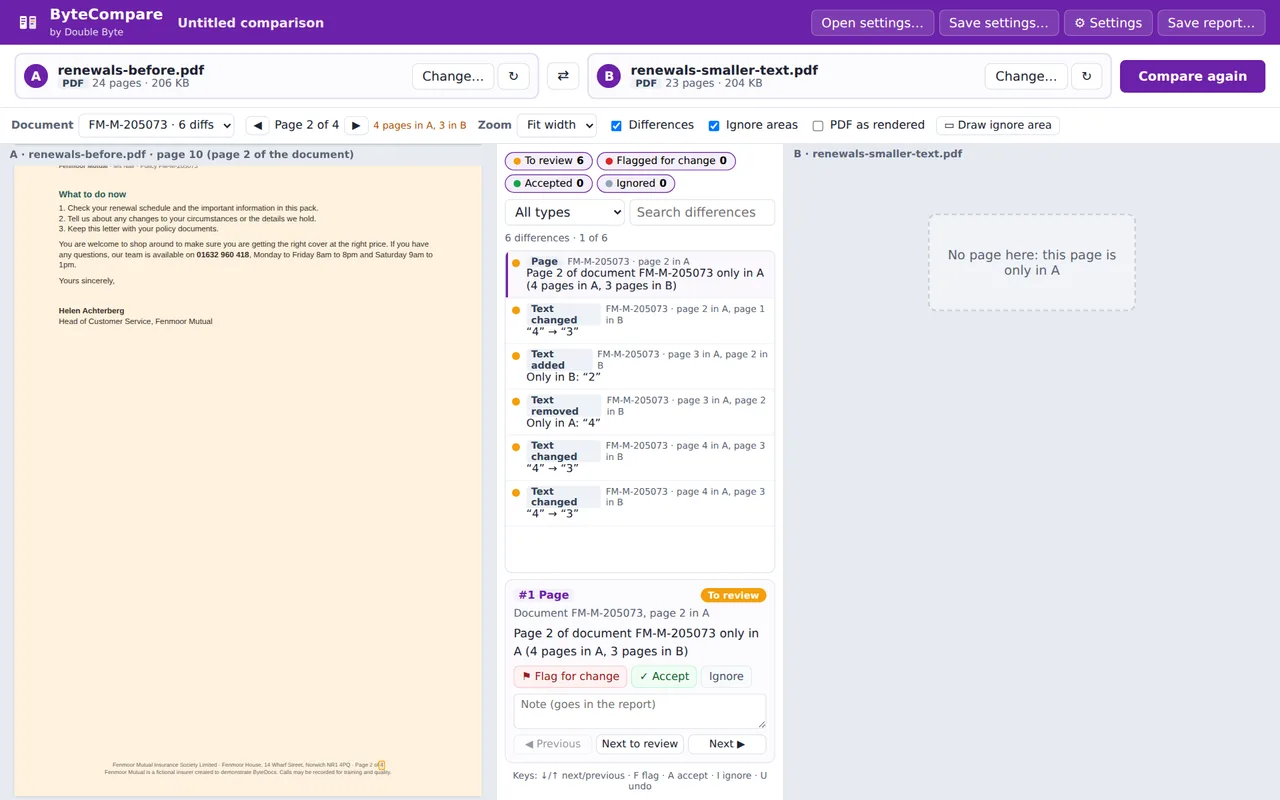
  • A change of font size moves every letter onto a different number of pages, and every tool you try compares page 7 with page 7.

What it does

What you get with ByteCompare

01

Any format against any format

AFP against PDF, PDF against PDF, two HTML emails or two text reports. ByteCompare reads each file into the same model of pages, text, lines and images, so an AFP from the old system can be checked against a PDF from the new one.
02

Side by side, differences highlighted

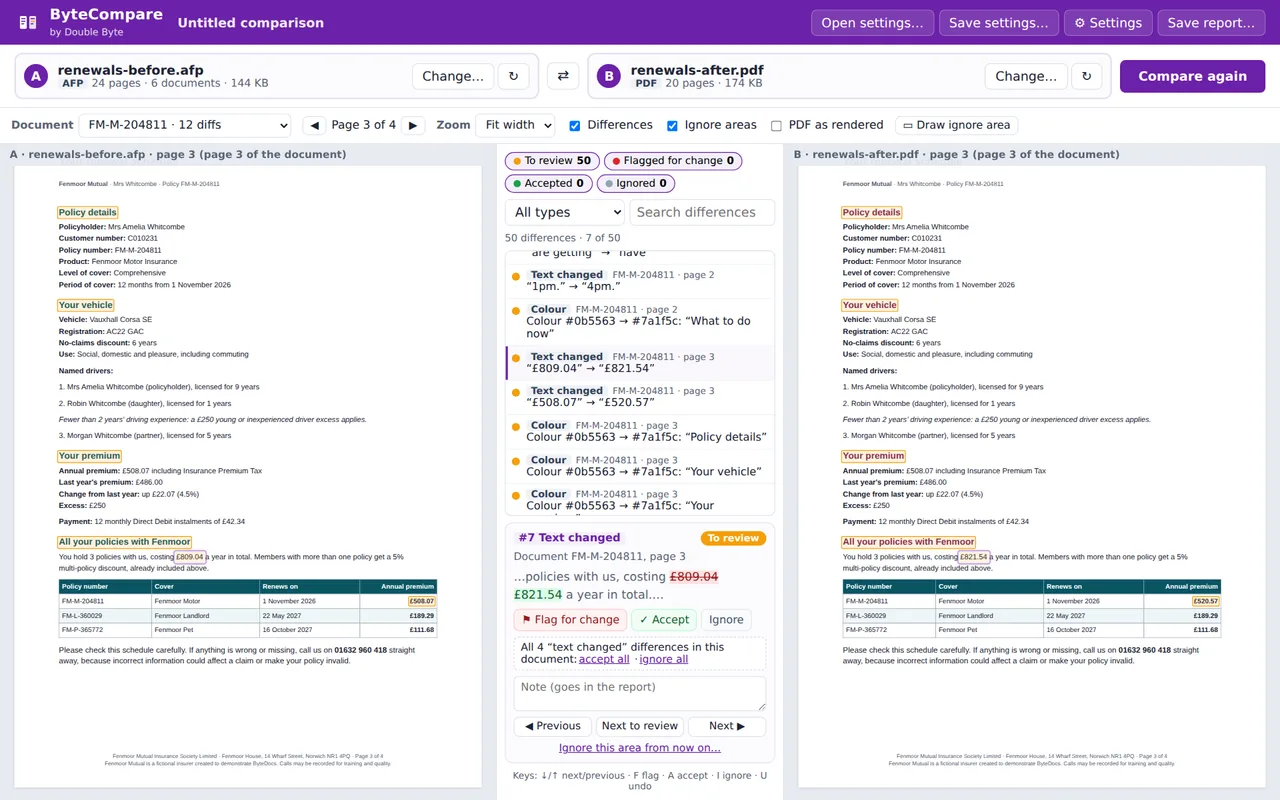
The two pages sit side by side with every difference outlined, and a list in the middle to step through. Changed wording shows exactly what was there and what replaced it.

03

Keeps in step through a print run

Letters are paired by an account or policy number, from an AFP index tag or the wording on the page, and pages are lined up by their content. A letter that runs to one page fewer, or a customer missing from the run, is reported once and the rest stay in step.

04

Tuned to what matters

Allow a little movement in millimetres, compare the wording only, or leave out colours and fonts. Ignore areas such as dates and barcodes, and wording that changes every run, such as run dates and reference numbers.

05

Review, decide and record

Flag each difference for change, accept it as expected, or ignore it, and add a note. When the same change appears in every letter, accept it everywhere at once.

06

Reports and repeatable settings

Save the settings and use them again on the next run. A plain text report lists every difference with its status and notes, written wherever you choose, for sign-off and audit.

07

On the command line too

The same comparison runs unattended on Windows or Linux from a settings file: ByteCompare settings.bcmp fileA fileB. It writes the report and returns an exit code, so a scheduler or build pipeline knows straight away whether anything changed.

08

Made for migrations

It grew out of our own migration work, where the hardest part is proving that the new platform's output matches the old. Use it for platform moves, print house changes and regression testing after every release.

A closer look

Inside ByteCompare

These screens use Fenmoor Mutual, a made-up insurer: six customers' renewal packs as AFP from an old system and as PDF from a new one, with a premium change, new wording, new heading colours and one customer missing, plus the same packs reprinted in smaller text.

How it works

From set-up to everyday use

  1. 01

    Choose two files

    Before and after, old platform and new: AFP, PDF, HTML or text, in any combination.

  2. 02

    Say what matters

    Pair letters by account number, set the tolerance, and ignore run dates, barcodes and anything else that should change.

  3. 03

    Review the differences

    Step through them side by side, accepting what was expected and flagging what needs fixing.

  4. 04

    Report and repeat

    Save the report for sign-off, and run the same settings again on every release, by hand or on the command line.

Made for

  • Insurers
  • Banks and lenders
  • Pension providers
  • Energy and water companies
  • Print and mail bureaux
  • CCM and test teams

See ByteCompare with your own eyes

We'll compare two of your own files with you, ideally an old and a new version of the same run, and show you what ByteCompare finds.

Built from the ground up, from real experience. ByteCompare comes from twenty years of building and migrating documents on client sites. Read how it started, or see the consultancy work we still do every day.