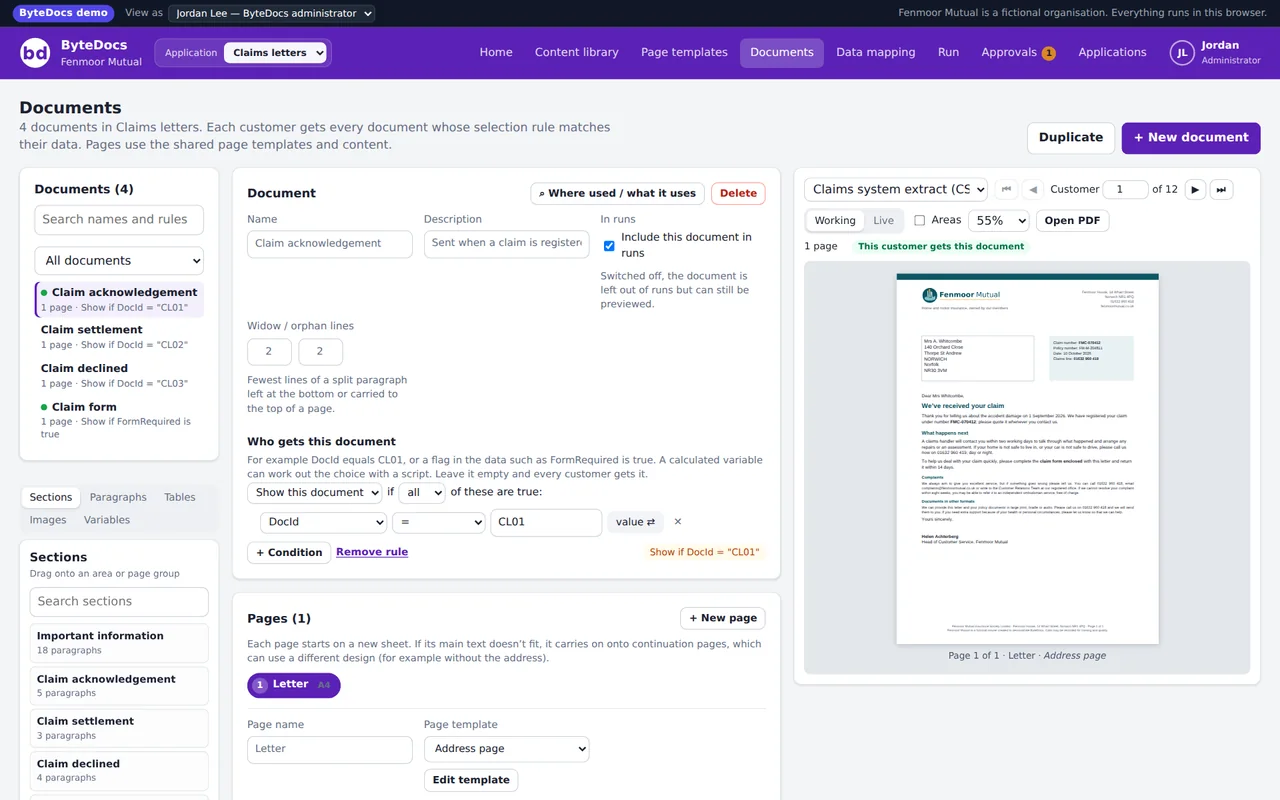
01Applications, documents and pages
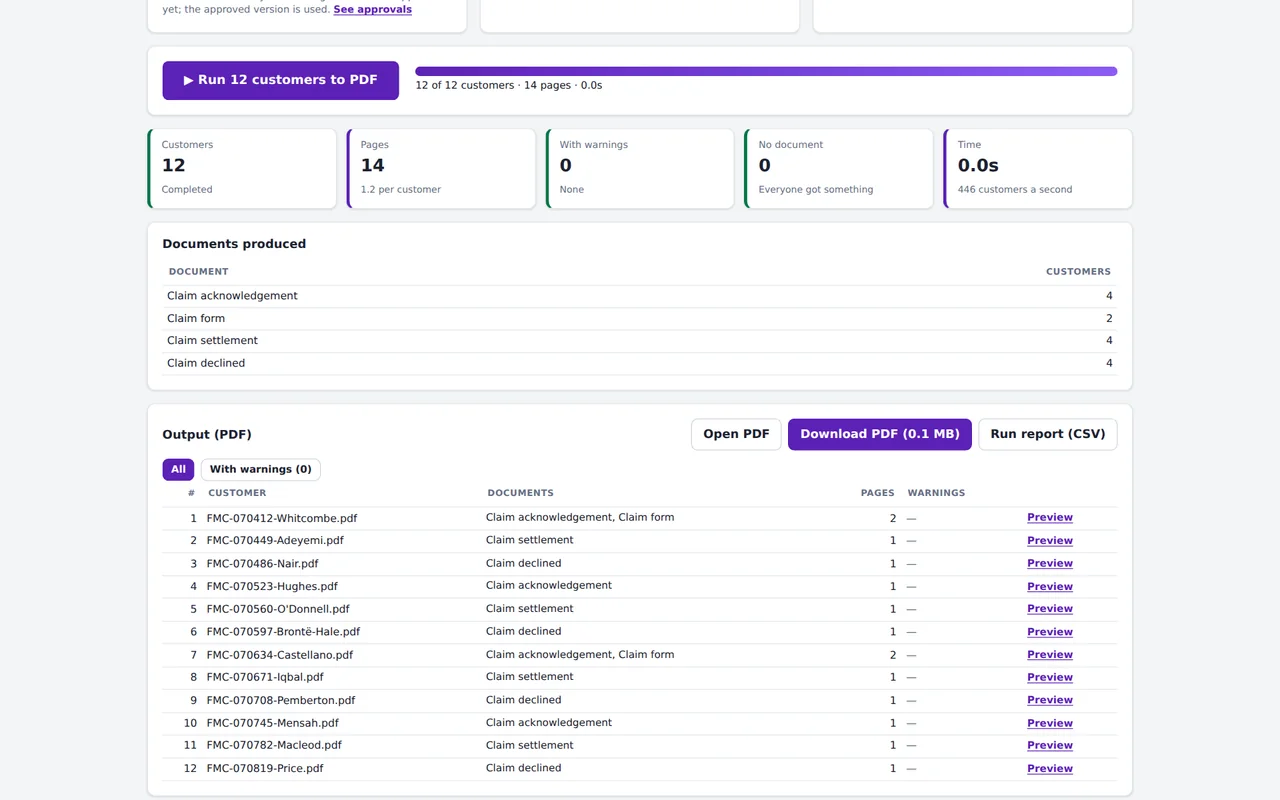
Group documents into applications (savings in one, mortgages in another) and have as many documents in each as you need. A rule on each document decides which customers get it, from a document ID in the data, a flag, or a calculated value.
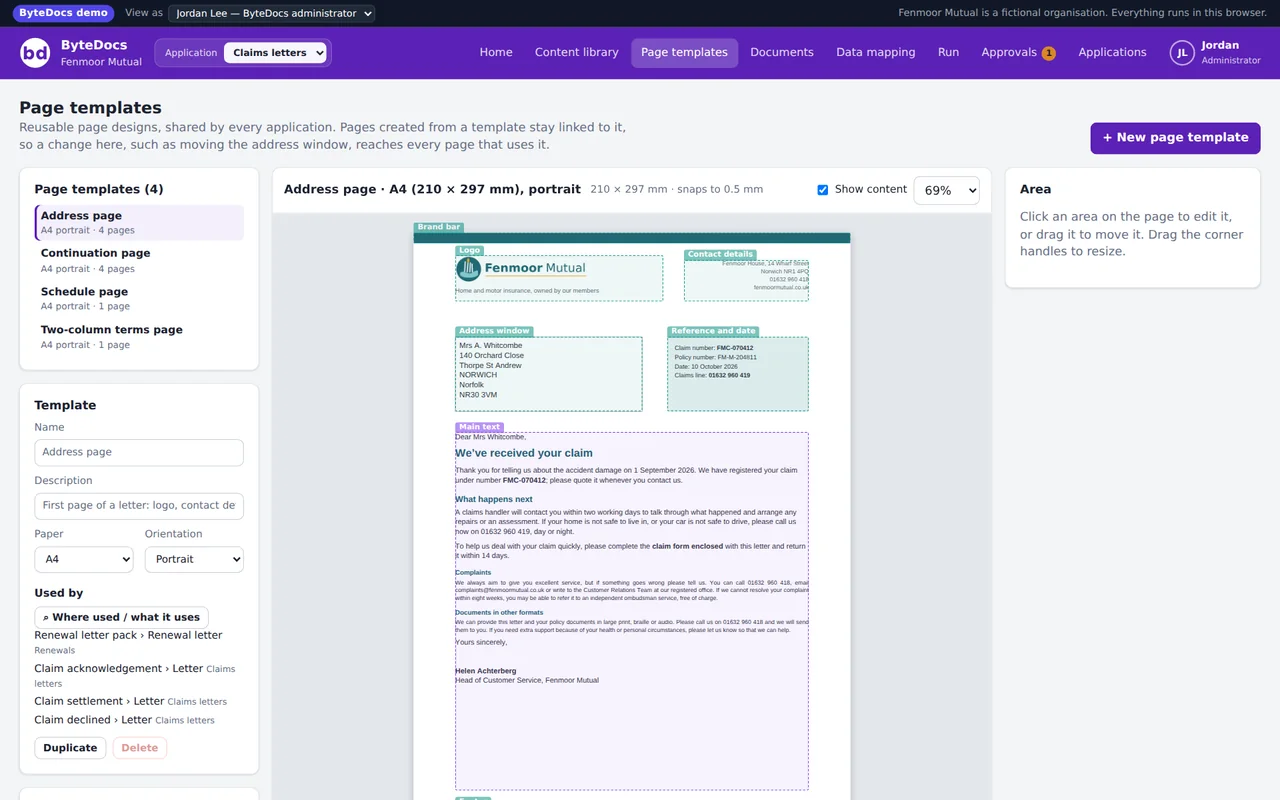
02Page templates you design once
Set up an address page with the logo, address window, date and footer, then build any page from it. Change the template and every page that uses it follows, in every application. A4, A3, A5 or US sizes, portrait or landscape.
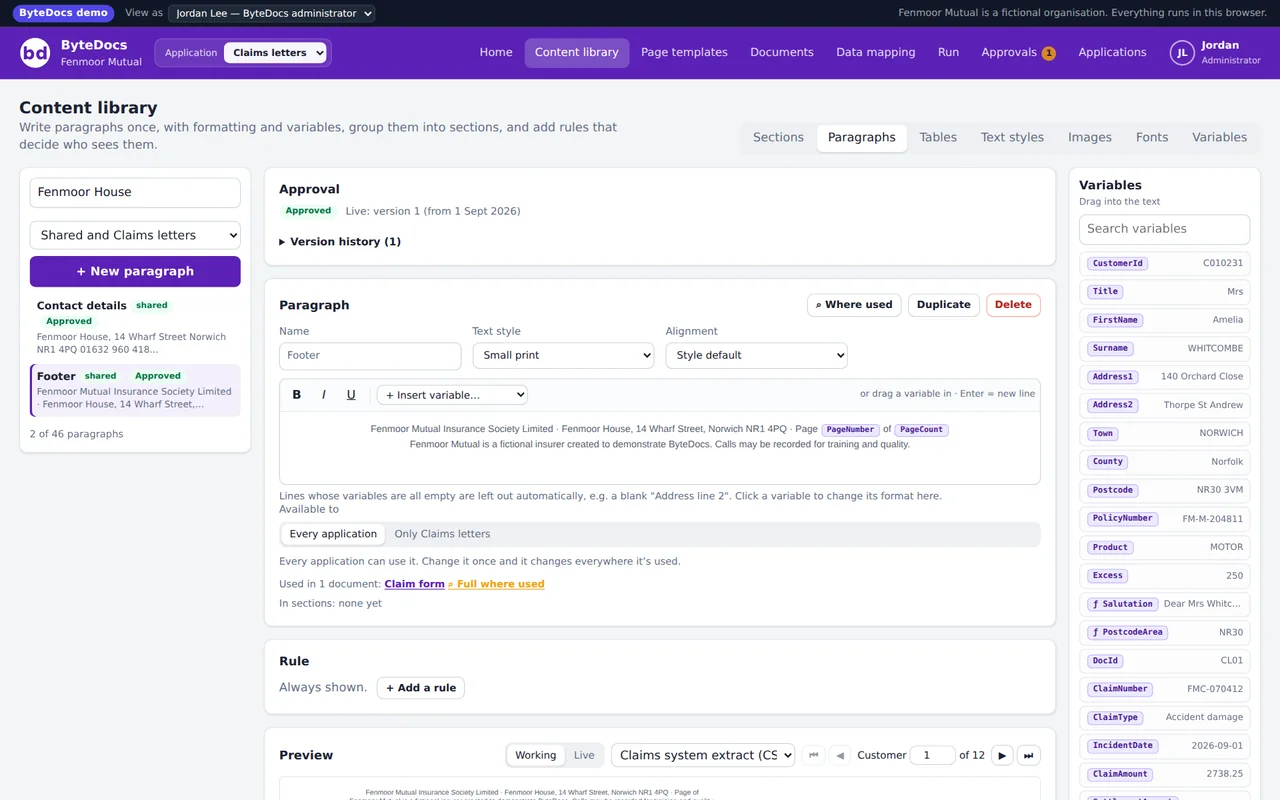
03Shared wording, changed in one place
Standard terms, footers, regulatory text and commercial wording live in one library and are shared by every application. Rules on paragraphs and sections decide who sees what, and anything can be kept to a single application when it needs to be.
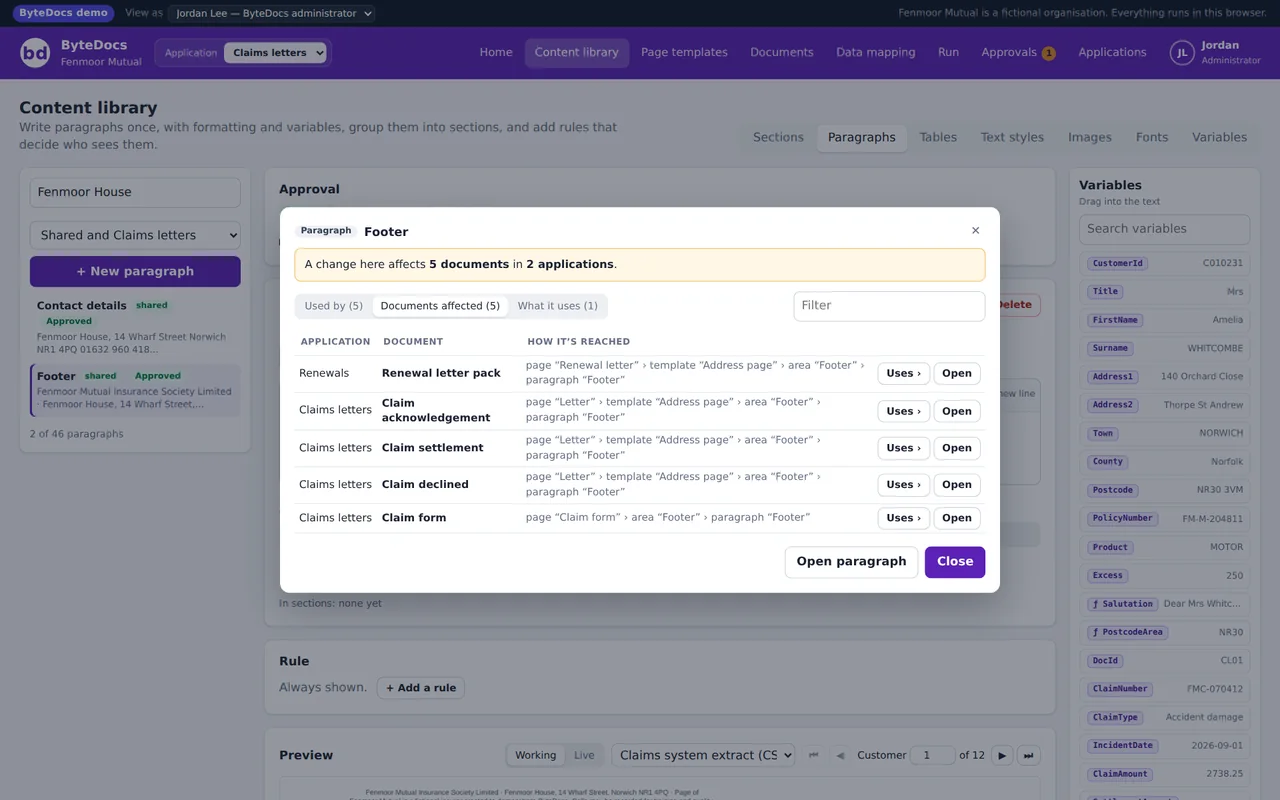
04Where used, before you change anything
Pick any paragraph, template, variable or data field and see every document it reaches, and how it gets there. You know the impact of a change before you make it, which is most of the battle in BAU.
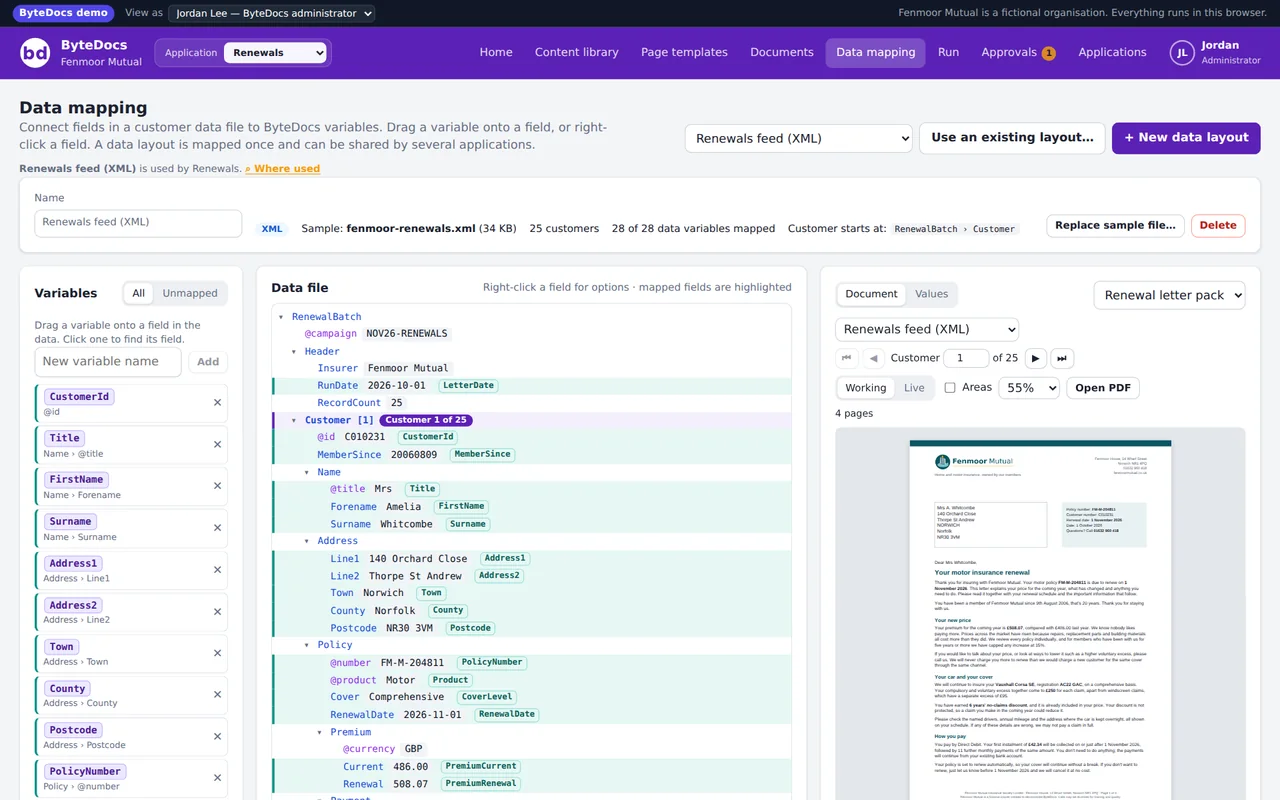
05Data from any feed, mapped once
CSV, JSON or XML. Mark where each customer starts, link fields to variables and set up repeating lists such as policies or transactions. A data layout can be shared by several applications, so a standard feed is mapped once.
06Calculations and scripts
Calculated variables work out what the data doesn't hold: totals, price changes, salutations, which document to send. A small script language with IF, SELECT CASE, loops and over 60 functions, checked as you type.
07Approval and version history
Authors draft, approvers approve, with a word-by-word comparison and a date the change goes live. Runs only use approved wording. Test runs include drafts and are watermarked so they can't go out by mistake.
08PDF and AFP from the same design
Embedded fonts and logos in the PDF, and AFP print streams with an indexed page group per customer, the documents each one received, and mixed paper sizes. There's an AFP viewer built in for checking print files.